
The app shows each run as soon as it ends and saves it to the athlete
It runs on iPhone, iPad and Android phones and tablets, with a web app for your laptop. Pick a test, let the athlete run, and the result is on your screen when the run is over.
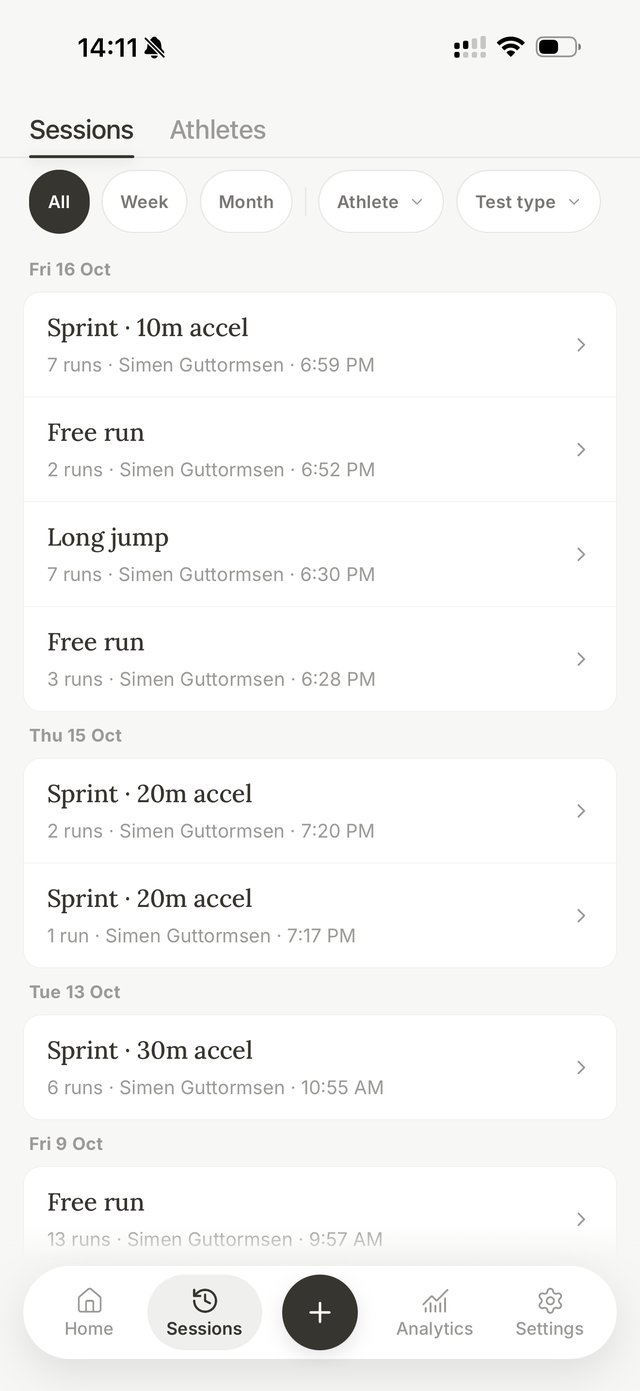
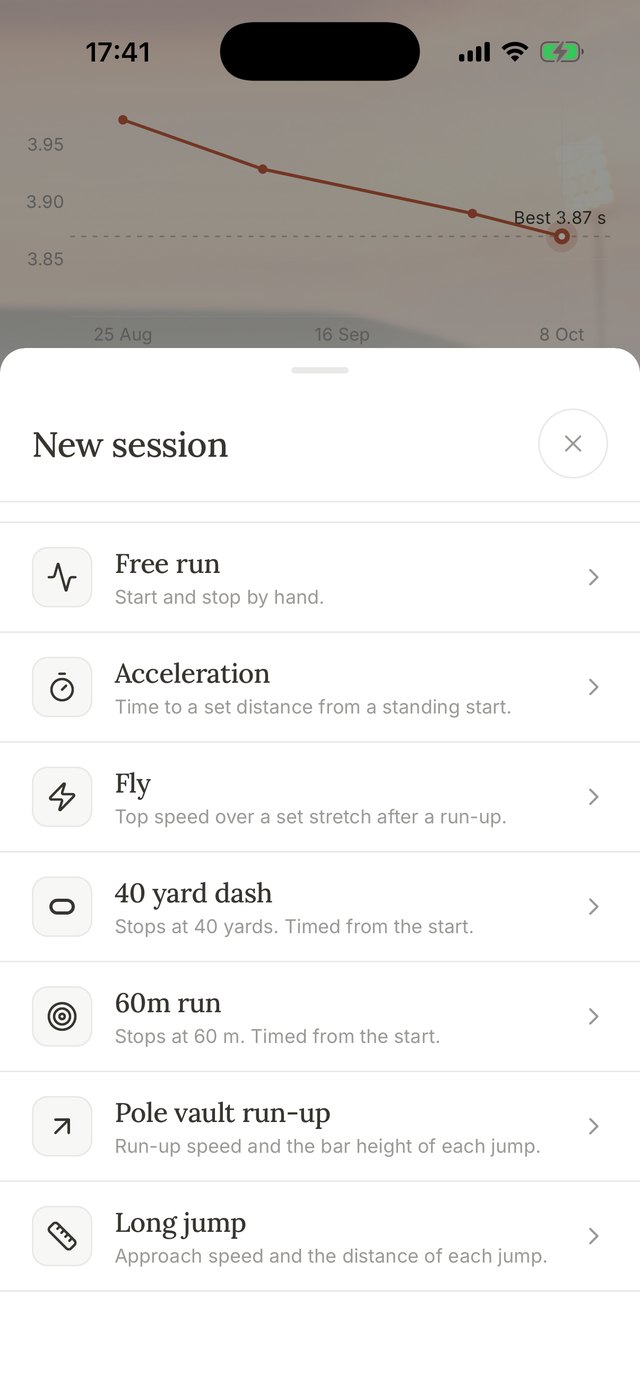
Seven tests cover sprints, flying runs and jump approaches
You pick a test when you start a session, and the test decides how each run is timed.
- AccelerationTime to a set distance from a standing start, with splits along the way.
- FlyTop speed over a set stretch after a run-up, such as a flying 10 or 20 m.
- 40 yard dashStops at 40 yards and is timed from the start.
- 60 m runStops at 60 m and is timed from the start.
- Free runStarts by itself when the athlete runs and stops when they're done, however far they go.
- Pole vault run-upRun-up speed counted back from the box.
- Long jumpApproach speed counted back from the board.
Recording starts by itself when the athlete moves and stops at the distance you set
Select who is running and the screen says Ready. The clock starts once the movement is confirmed, a moment after the first step, and stops at the target. Then you save the run, or throw it away and go again.
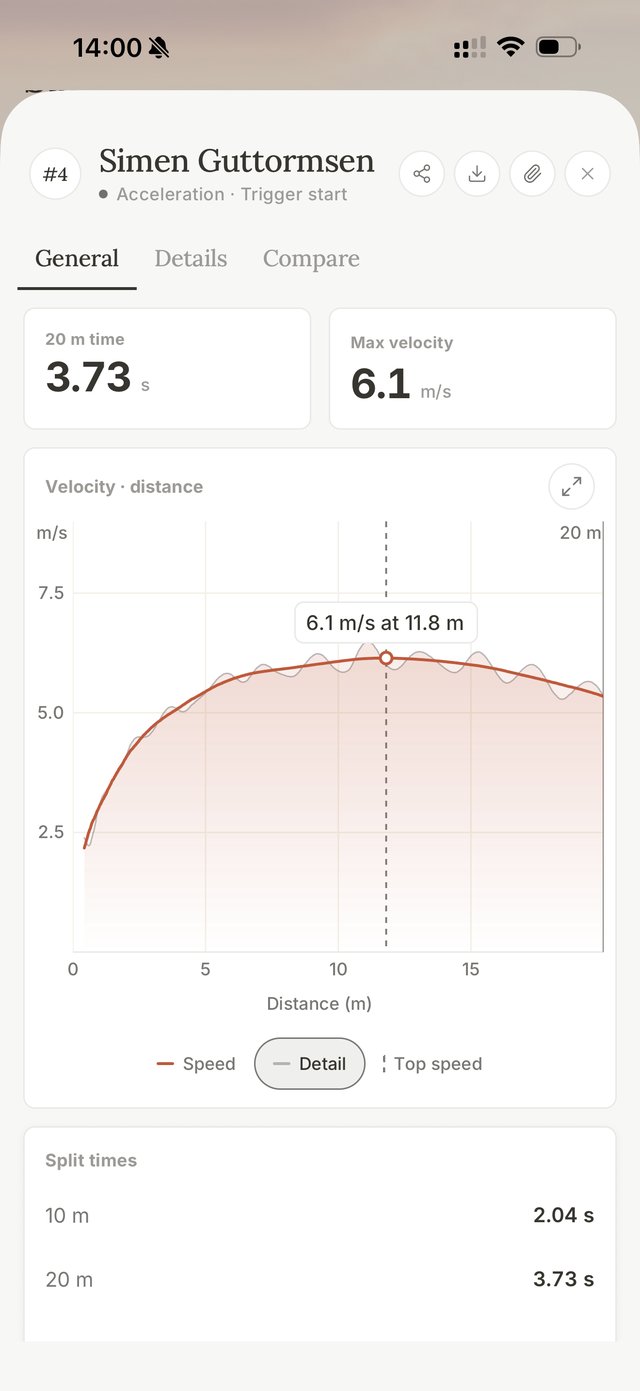
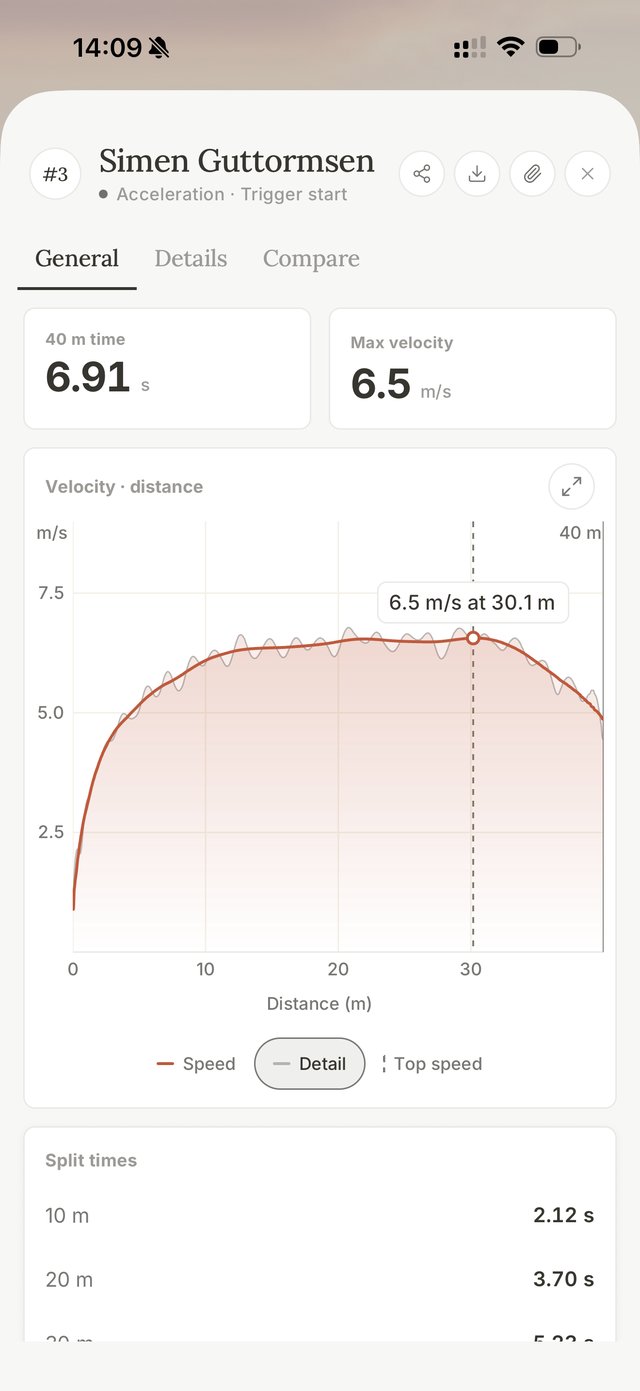
Every run gets a time, a top speed and the whole speed curve
Top speed is the fastest half second of the run, shown with where it came. The curve shows how the athlete built speed, held it and slowed down, so two runs with the same time can still look very different.
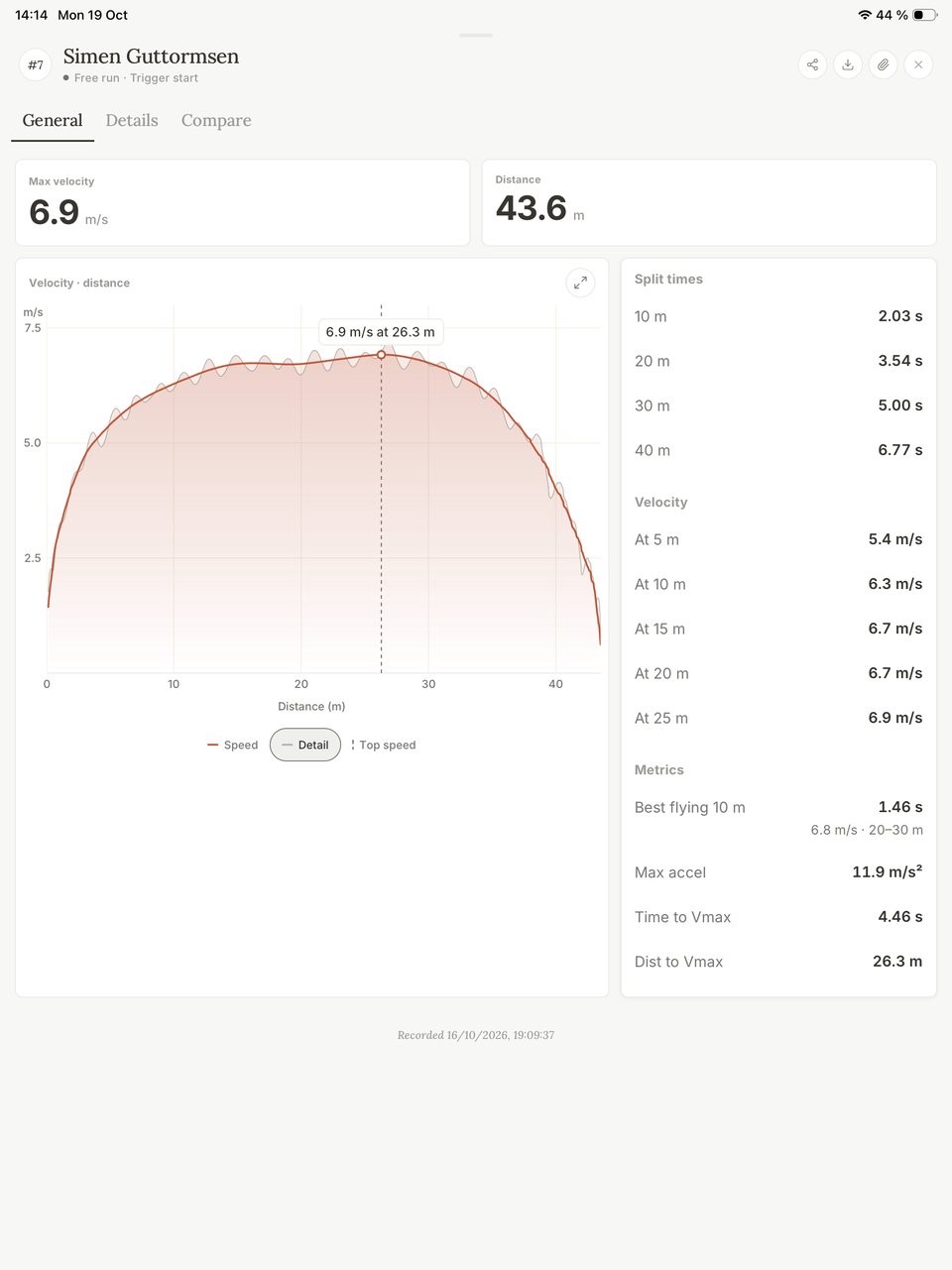
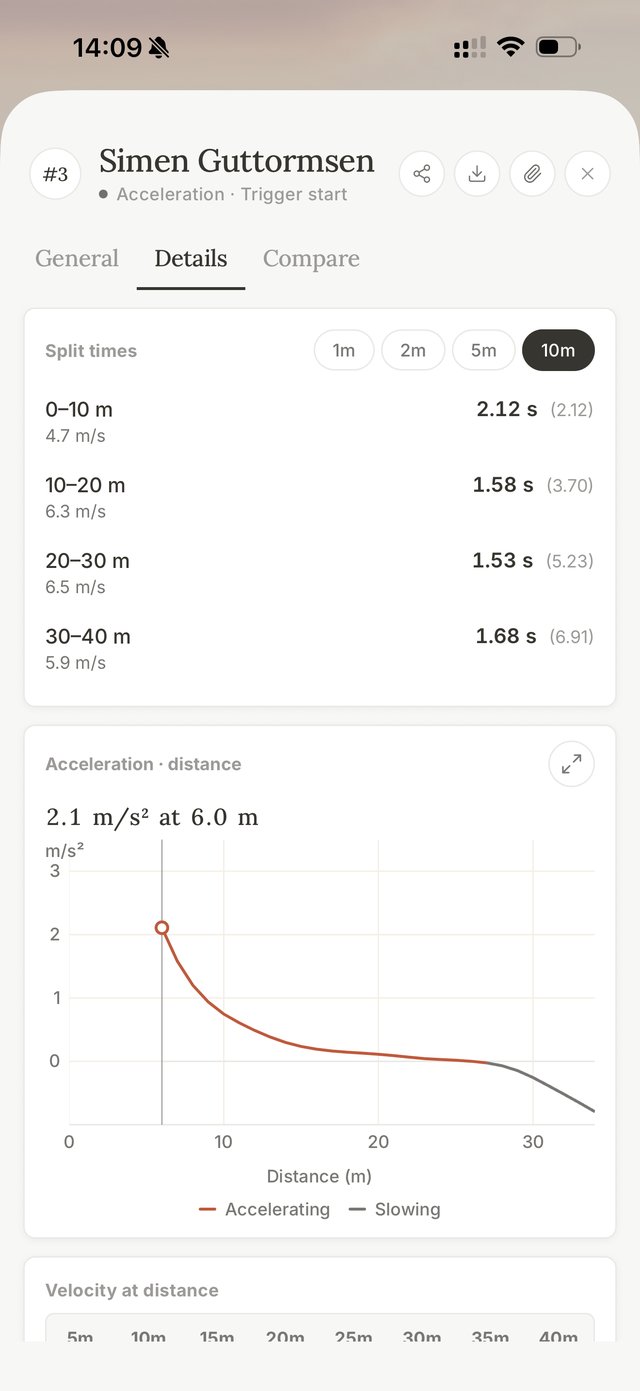
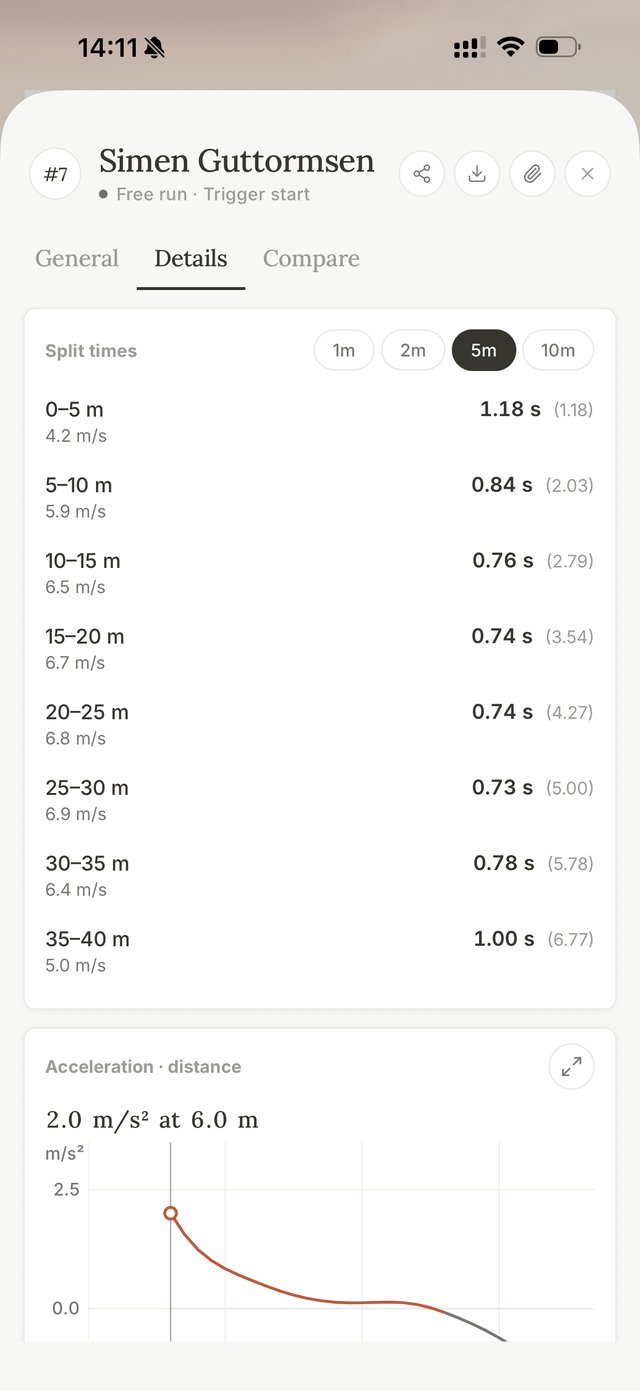
Split any run into 1, 2, 5 or 10 m pieces to see where time is won or lost
The splits show the time for each piece and the speed as the athlete passed each mark. The time and distance to top speed are worked out for you.
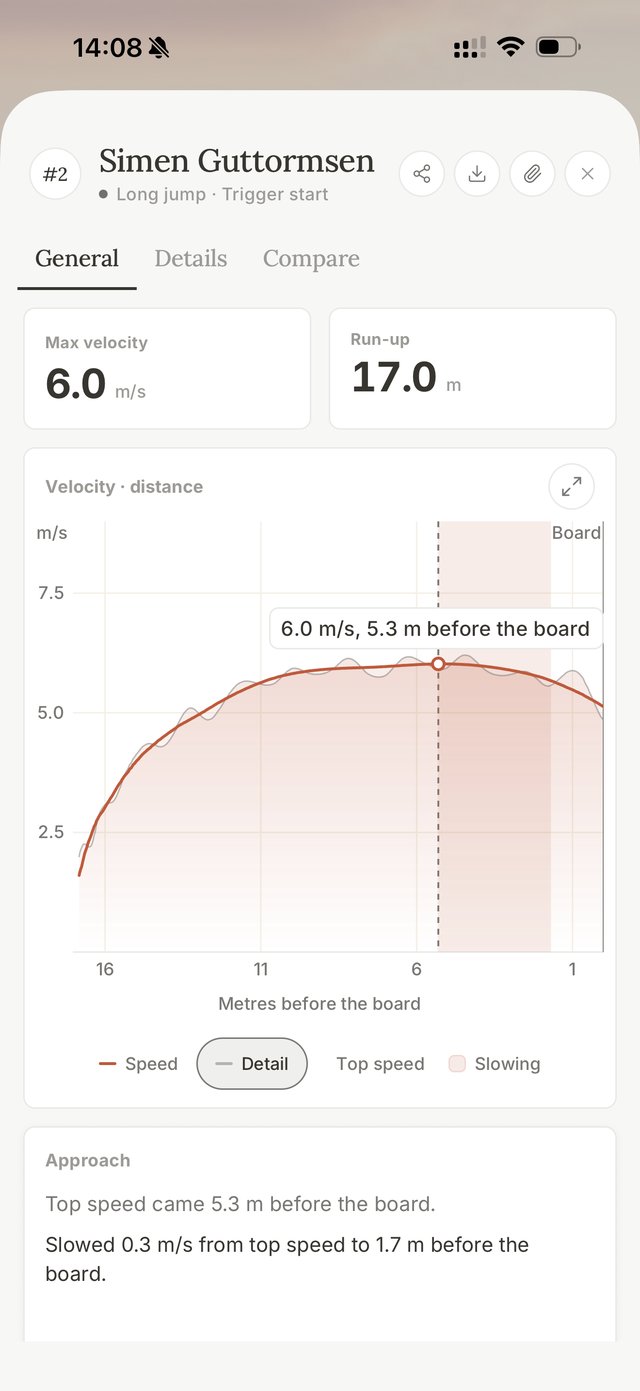
Long jump and pole vault run-ups are shown in metres before the board or the box
Measure the board or the box with the laser at the start of the session, and every run-up is read back from it. You see the athlete's top speed, how far out it came, and whether they held that speed or slowed down before the board.
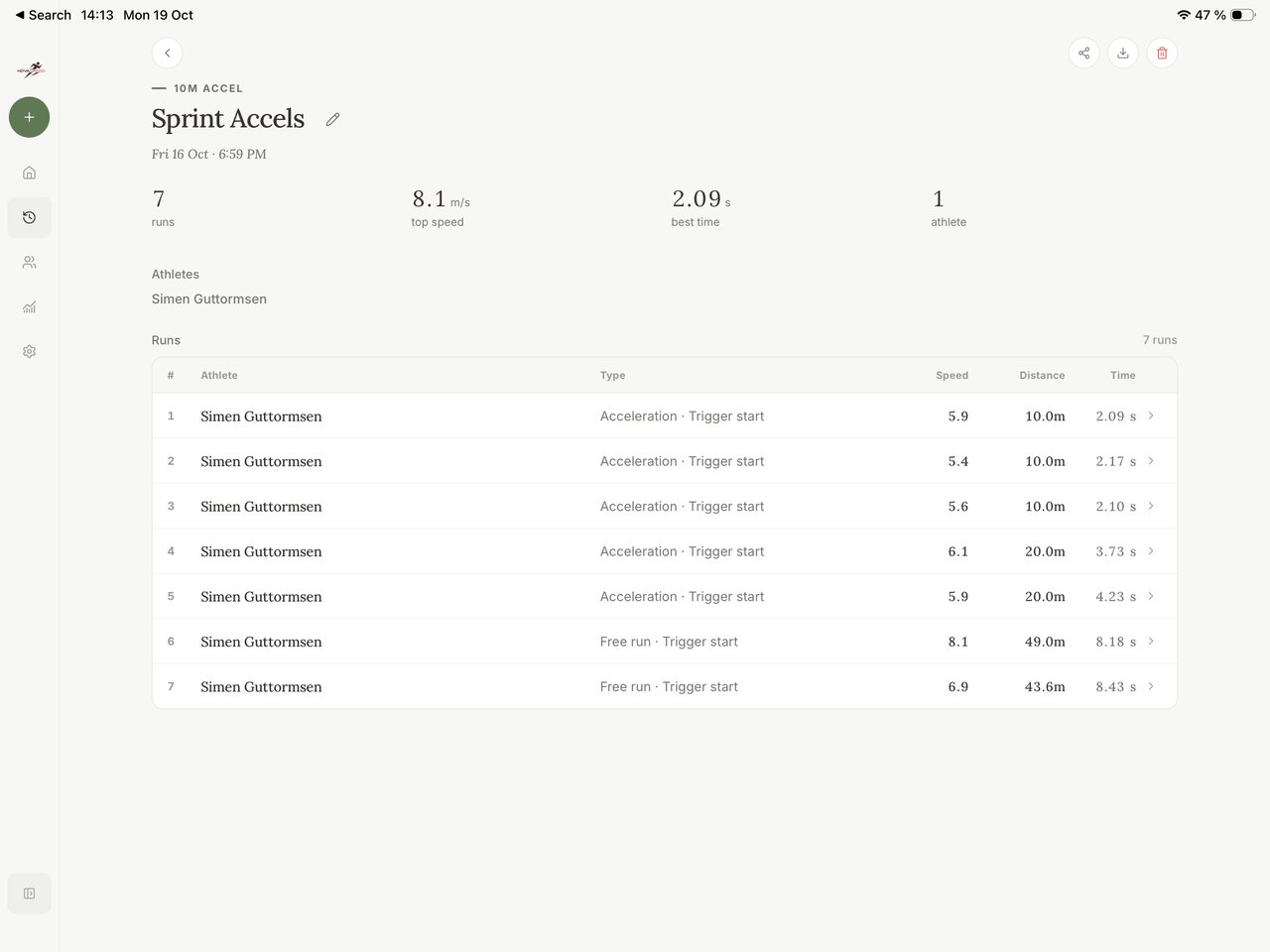
Compare up to four runs on one chart to see where they split apart
Pick runs from one athlete or several. Their speed curves sit on top of each other, the main differences are written out for you, and a table lines up time, top speed and splits.
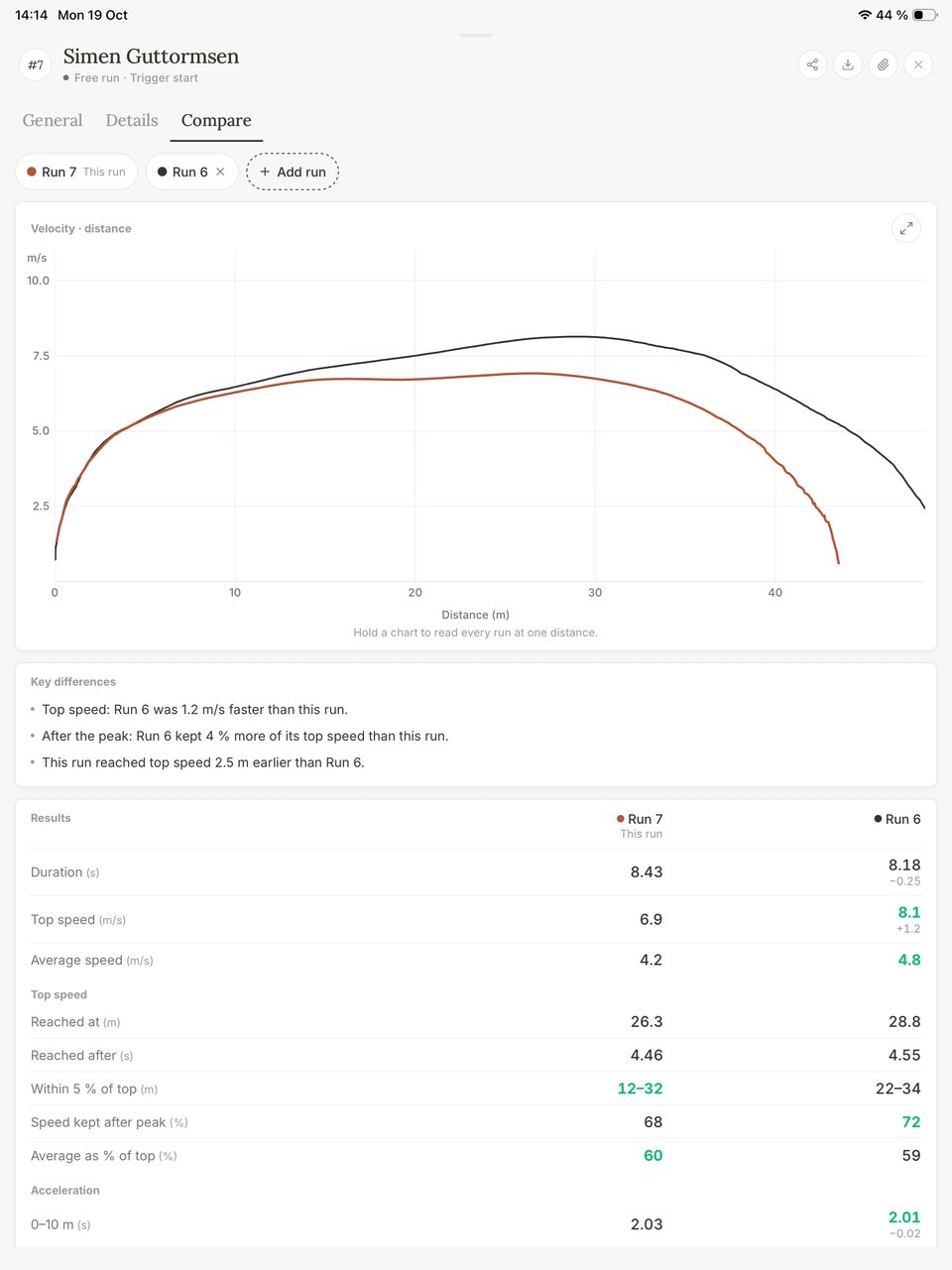
Each athlete gets a history with trends and personal records
Follow the best time per day for each test over weeks or months, and see the fastest split at each distance. You can open any session straight from the trend.
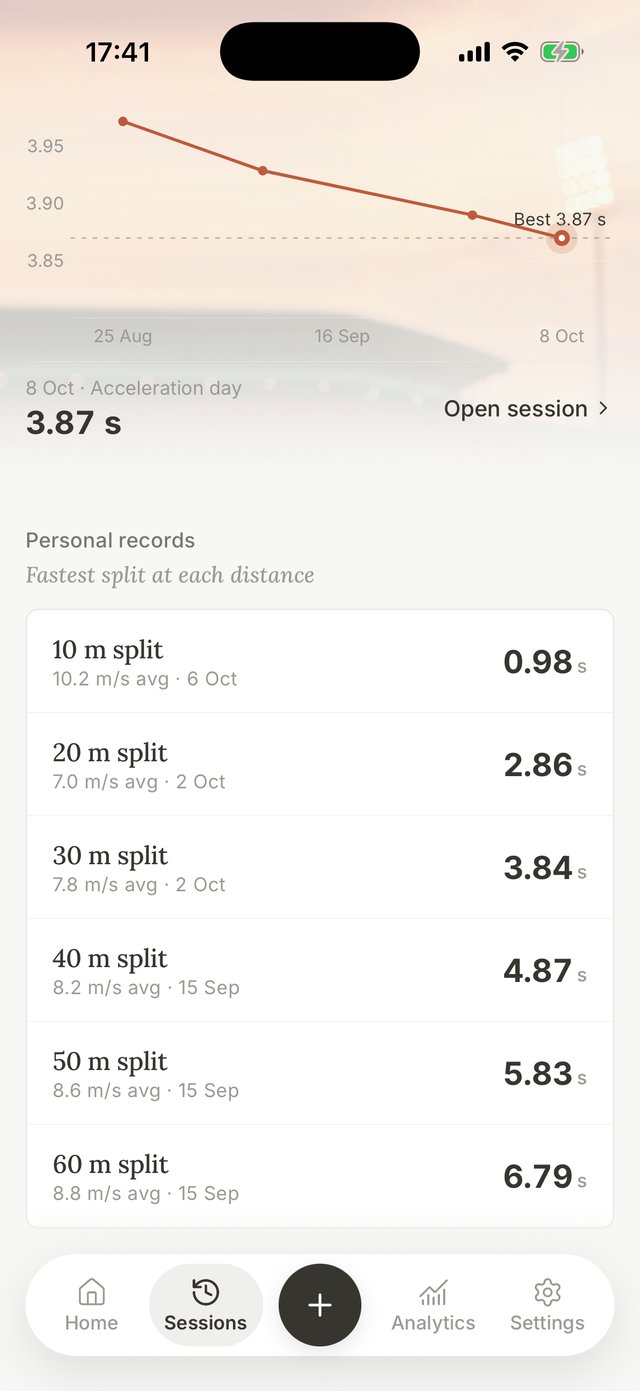
Each session lists every run with its time, top speed and distance
On an iPad you see the whole session at once, with the best time and the top speed at the top. You can add the wind, weather, surface and temperature to a session, so you always know the conditions a time was run in.
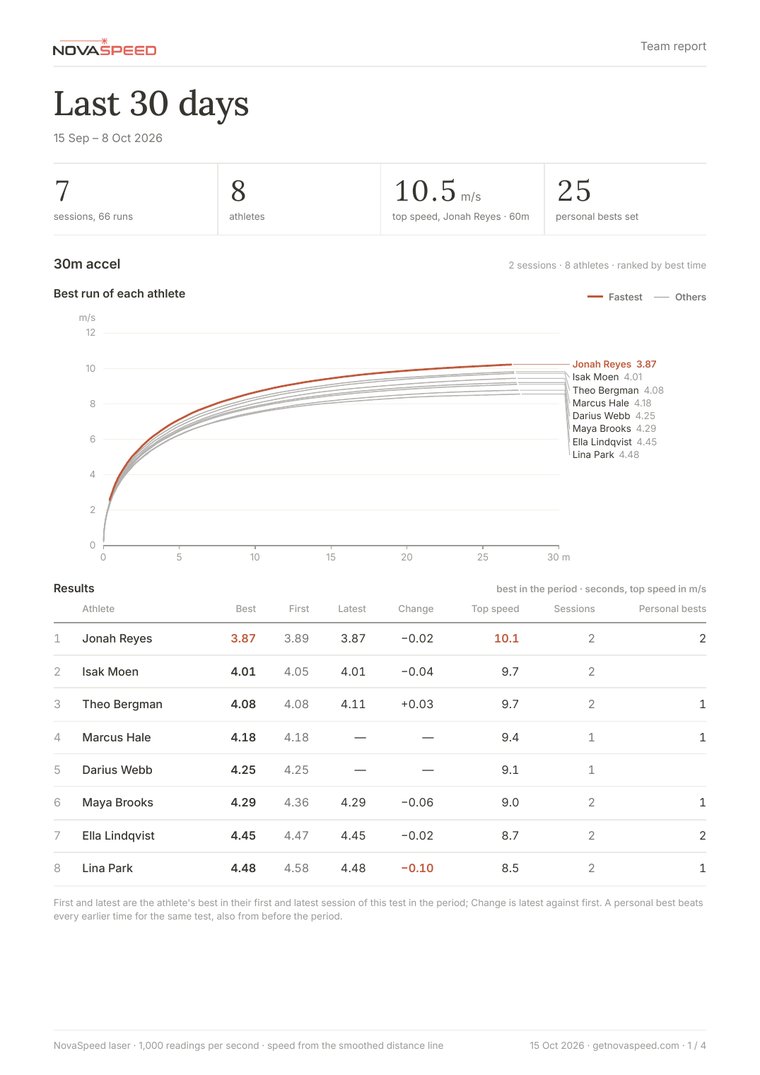
Send a PDF report for one athlete or the whole team after the session
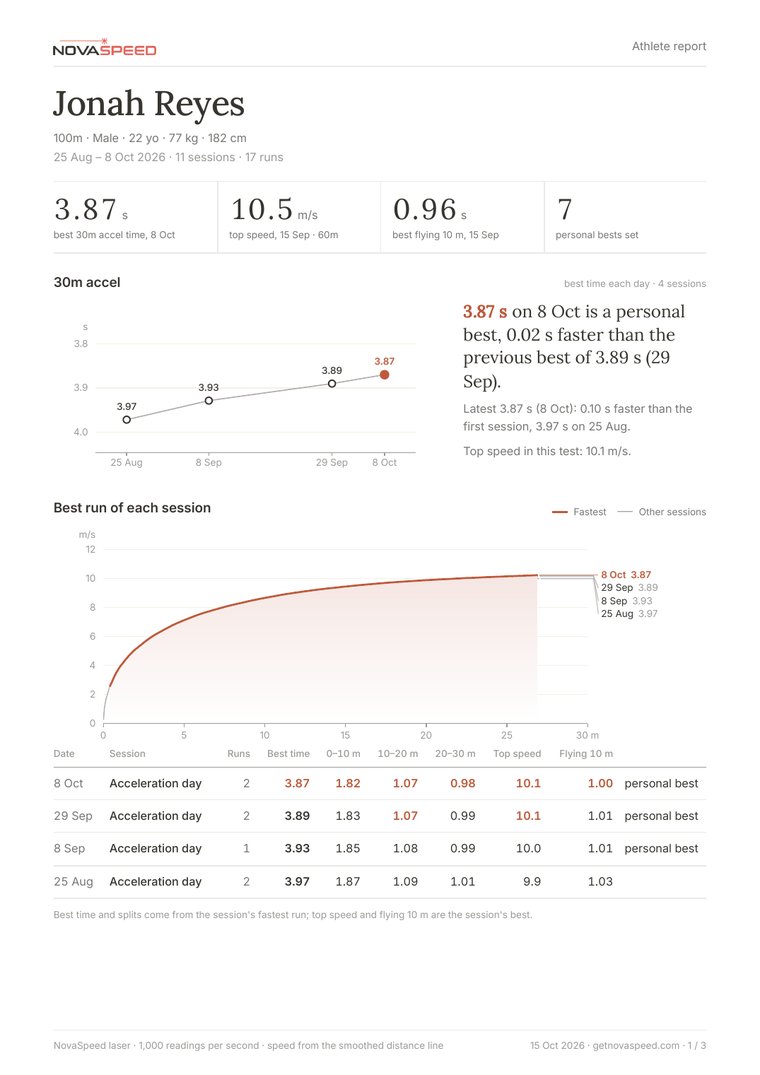
Make a PDF of a single run, a session, one athlete or the whole team. The team report ranks each athlete's best run, and the athlete report shows their trend and every session. You can also export the numbers as CSV.
These reports were made by the app with demo athletes.
The app also works offline, shares results with athletes and fits the way you coach
Get the app for your phone or tablet, or open the web app on a laptop.

 Coming soon
Get in touch to reserve a unit for your team
Tell us how many athletes you coach and which tests you run. We'll reply with availability and a quote.